Visual and AI: Two Ways Into One Model
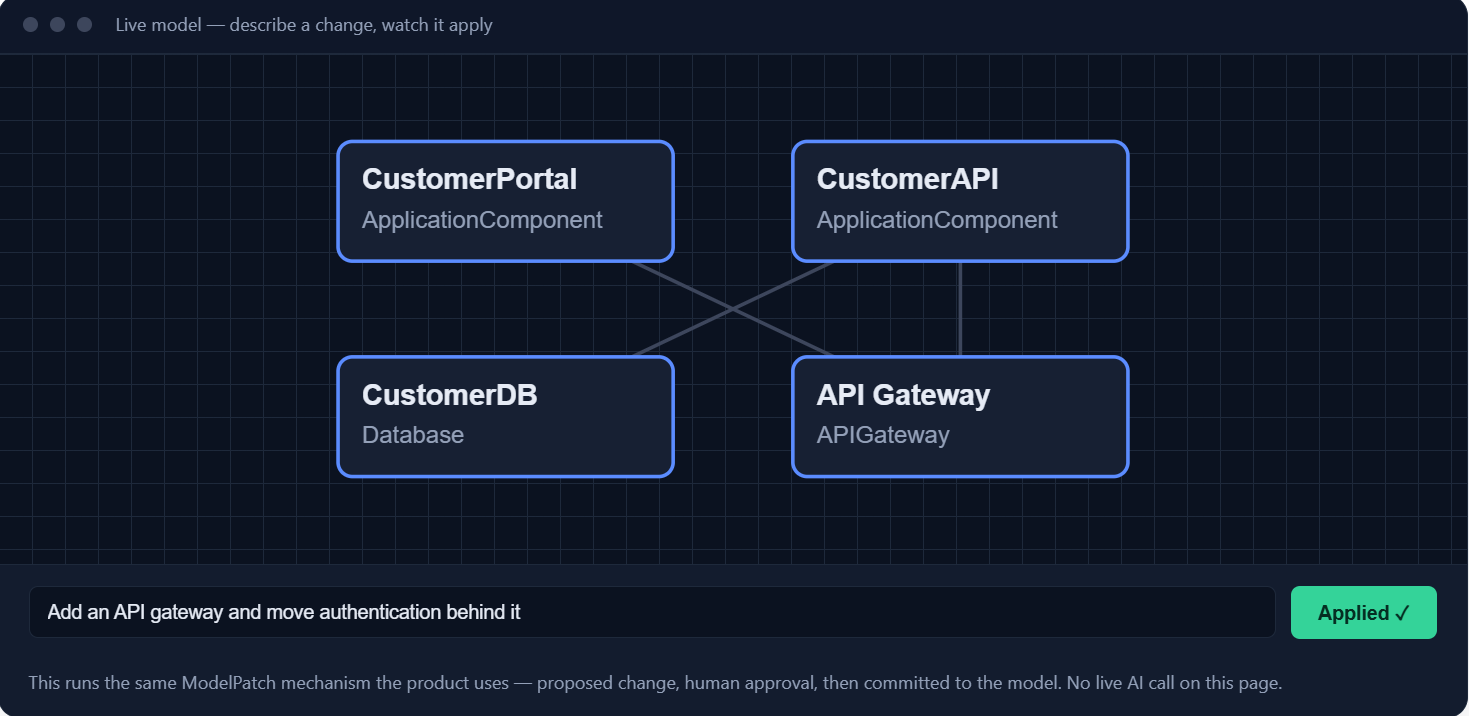
Here is a change small enough to fit in a sentence: put an API gateway between the customer portal and the internal orders API, and route the portal's traffic through it instead of letting it call the API directly. Two elements already exist, one relationship has to move, one element has to be created, and two new relationships have to be drawn. You can do this by hand on a canvas in about ninety seconds. You can also do it by describing it to an AI assistant in about twenty. Neither answer is obviously right, and the interesting part is why.
Mooodels gives you exactly two ways to change a model: you edit it visually on a canvas, or you describe what you want and an AI assistant proposes the change for your approval. Both paths end in the same place — the same canonical model, the same elements with the same stable identities, the same validation. Neither is a shortcut around the other, and neither is the "real" one with the other bolted on top. This article walks the same small change through both, then gets specific about where each mode stops being the right tool.
The change, in model terms
Before either mode does anything, it helps to be precise about what the change actually is, because that framing is what makes the two modes comparable at all. Stripped of any visual or conversational packaging, inserting the gateway is four operations against the model:
- Add a new element — an application component named Edge API Gateway, with its own stable identity.
- Remove the existing serving relationship from Customer Portal to Orders API.
- Connect Customer Portal to Edge API Gateway.
- Connect Edge API Gateway to Orders API.
That list is the change. Everything else — where the box sits on screen, what colour it is, which view it appears on, whether you got there by clicking or by asking — is presentation and workflow. This is the payoff of working against a semantic model rather than a picture: the two modes are not two different kinds of edit, they are two different ways of authoring the same edit. Which means comparing them is a fair comparison rather than an argument about file formats.
Doing it on the canvas
On the canvas, the sequence is physical and immediate. You open the view that shows the portal and the orders API. You already know roughly where they are, because you laid this view out yourself last month and spatial memory is a real thing — that is not a small advantage, and it is one of the reasons visual editing survives every attempt to replace it.
You add a component. It appears with a sensible auto-layout position, which you immediately override by dragging it to sit between the two existing boxes, because you want the picture to read left-to-right in the direction traffic flows. You name it. You click the existing relationship between portal and API and delete it. You drag from the portal's edge to the gateway, pick a serving relationship from the connector palette, and repeat from gateway to API. You set the protocol property on both new relationships. Done.
What you noticed while doing this is the part that does not show up in the operation list. When you dropped the gateway between the two boxes, you saw that the portal also had a second, direct connection to an identity service that you had forgotten about — it was right there, one edge over. That prompts a question the change request never asked: does the identity call go through the gateway too, or does it stay direct? You would not have seen it in a change ticket. You saw it because you were looking at the shape of the thing while you altered it.
This is the canvas's real strength and it is chronically underrated. It is not that dragging is faster than describing — often it is not. It is that the canvas keeps you in continuous contact with the surrounding structure. Every edit happens in context, with the neighbours visible, and the neighbours are where the surprises live. For a change you are still thinking about, that peripheral vision is worth more than the keystrokes it costs.
The other thing the canvas gives you is precision without ambiguity. When you drag from the portal to the gateway, there is no question about which portal you meant. There is no name collision to resolve, no "did you mean the customer portal or the customer self-service portal," no risk of an operation landing on an element that merely shares a label with the one you had in mind. You pointed at it. Pointing is unambiguous in a way that naming is not, and in a model with a few thousand elements and a naming convention that has been through two reorganisations, that matters more often than you would like.
Doing it with AI
The same change through the AI path starts with a sentence. Not a command with a syntax you have to remember — just the change, described the way you would describe it to a colleague who has the model open:
Insert an API gateway called "Edge API Gateway" between the
Customer Portal and the Orders API. Route the portal's traffic
through the gateway instead of calling the Orders API directly,
and set the protocol property to HTTPS on both new relationships.
What comes back is not a changed model. It is a proposal — a structured ModelPatch: a list of typed operations, each one an add, update, rename, delete, connect or disconnect, together with a human-readable description of what the patch is meant to accomplish. For this change it looks roughly like this:
{
  "description": "Insert Edge API Gateway between Customer Portal and Orders API",
  "operations": [
    { "op": "add", "kind": "element",
      "elementType": "ApplicationComponent",
      "name": "Edge API Gateway", "id": "el-edge-gw" },
    { "op": "disconnect", "relationshipId": "rel-portal-orders" },
    { "op": "connect", "source": "el-customer-portal",
      "target": "el-edge-gw", "relationshipType": "Serving",
      "properties": { "protocol": "HTTPS" } },
    { "op": "connect", "source": "el-edge-gw",
      "target": "el-orders-api", "relationshipType": "Serving",
      "properties": { "protocol": "HTTPS" } }
  ]
}
Before you see it, that patch has already been through three gates. Schema validation checks that it is a well-formed patch at all — every operation has the fields its type requires, every referenced identifier is a real identifier. Metamodel validation checks it against the active profile: in an ArchiMate profile, a serving relationship between two application components is legal; a composition from a technology node to a business process is not, and gets rejected before you ever have to think about it. Then the deterministic architecture rules run — the same governance checks that run on a human edit — and flag anything the change would break.
Then you get a preview: exactly these four operations, exactly what each one touches, and what the model looks like afterwards. Nothing has been committed. A human approves, or edits the patch down, or throws it away. The assistant never writes to the model directly — it does not have a path to. That is a deliberate architectural constraint rather than a policy, and it is the single most important thing to understand about the AI mode.
Same destination, different route
Run both versions of the change and diff the resulting models, and you get nothing. Not "almost nothing" — nothing. Same four operations, same element identities, same relationship types, same properties. The only difference is layout, and only if you dragged the gateway somewhere other than where auto-layout would have put it.
That result is not a coincidence, and it is the whole reason this comparison is worth having. In most architecture practices, the equivalent of "two ways to make a change" means two artifacts: a diagram someone drew and a spreadsheet or a wiki page someone else maintains. Those drift, always, because they are separate representations of the same facts and nothing forces them to agree. In Mooodels, both modes are writing to one place. Nobody has to reconcile the AI's understanding of the model with the canvas's understanding of the model, because there is only one understanding and both are operating on it.
The practical consequence is that you can switch mid-task without paying a translation cost. Ask the assistant to insert the gateway, approve the patch, then immediately drag the new box where you want it and fix the label on one of the relationships by hand. Or start on the canvas, get three elements in, realise the remaining work is repetitive, and hand the rest to the assistant. There is no export, no round-trip, no moment where you have to decide which representation is authoritative.
Where each mode actually earns its place
| Mode | Best at | Where the friction shows |
|---|---|---|
| Visual canvas | Small, spatial, exploratory changes; anything where you want to see the shape while you decide; unambiguous targeting by pointing; layout and audience-specific composition | Mechanical repetition. Forty applications means forty manual sequences, each with its own chance of being skipped, mistyped or half-finished — and no record of intent beyond the result |
| AI assistant | Well-defined intent executed across a large surface; vague or exploratory asks where you would struggle to start; consistency across many similar edits; capturing the reasoning behind a change | Non-determinism, and review. The same request can produce a slightly different patch twice. Reviewing one patch is easy; reviewing the twentieth carefully is not |
Notice that the two rows are close to mirror images. That is not a coincidence either — the modes fail in each other's strong areas, which is exactly why keeping both is worth the complexity of building both.
The forty-application problem
Scale the gateway example up and the canvas stops being charming. Suppose the decision is not "put a gateway in front of the orders API" but "every application that currently calls an internal API directly from outside the trusted zone must route through the gateway, and every one of those relationships must carry a compliance property naming the review that approved it." Forty applications qualify.
On the canvas, that is forty repetitions of a five-step sequence spread across however many views those applications appear on. Each repetition is trivially easy and each one is a chance to make a mistake. You will delete a relationship and forget to redraw one of the two replacements. You will set the property on thirty-eight of them and lose track of which two you missed. You will get interrupted at number twenty-three and come back not entirely sure whether twenty-three was done. None of these are failures of skill; they are the ordinary statistics of doing the same fiddly thing forty times.
Worse, the canvas leaves no trace of intent. Six months later, the model shows forty applications behind a gateway. It does not show that this was one decision, applied once, for a stated reason. Anyone auditing it has to reconstruct the pattern from the result.
The AI path handles this differently in a way that matters. The intent is stated once. The execution is mechanical, which is precisely the kind of work that does not benefit from human attention. The patch that comes back has a description attached — one sentence explaining the decision, carried along with a hundred and twenty operations. And because the patch is a single reviewable unit, you get to ask the useful question, which is not "did I remember to do number thirty-one" but "are these the right forty applications, and is the pattern applied consistently?"
You also get something the manual path cannot give you: the validation runs on the whole change at once. If routing application seventeen through the gateway would create a cycle, or violate a rule about which zones may serve which, the deterministic checks catch it before the patch is ever presented — not on some future run of a governance report.
The canvas is best when the change is small and you are not sure what you want. The assistant is best when the change is large and you are certain. Most real work is somewhere in between, which is the argument for having both rather than picking one.
Where AI is genuinely better, beyond scale
Scale is the obvious case. The less obvious one is the opposite end: the change so vague you cannot begin it on a canvas because you do not yet know what shape it takes.
"Model our payments landscape the way it actually runs today, starting from these six systems I can name" is not a request you can drag. It has no starting geometry. What the assistant is genuinely good at here is producing a first draft that is wrong in useful ways — a structure you can react to. Reacting is cognitively much cheaper than originating, and a rejected proposal that shows you the two elements you had not considered has earned its place even though you discarded the patch. This is closer to sketching than to automation, and the canvas is where you finish it.
The third case is consistency. Humans making forty similar edits by hand produce forty subtly different edits: relationship types that vary because you picked from a menu differently on a Tuesday, property values that are "HTTPS" in some places and "https" in others, naming that drifts by the twentieth element. A single patch applies one pattern uniformly. That uniformity is not glamorous, but it is what makes a model queryable later.
Where AI's friction actually shows
The honest failure modes are worth being specific about, because the vague version — "AI can be wrong" — is useless for deciding when to use it.
It is non-deterministic. Ask for the same change twice and you may get two patches that differ in ways that are individually defensible: a different relationship type where two would be legal, an element name that follows a slightly different convention, an extra property you did not ask for and did not object to. The validation gates catch illegal patches, not merely different ones. If you need byte-identical results from identical inputs, this mode is not where you get them — the deterministic rules and the canvas are.
The guardrails are narrower than they feel. Schema validation, metamodel validation and rule checks are real and they catch a genuine class of error. What they cannot catch is a patch that is structurally perfect and factually wrong. Nothing in the metamodel knows that the orders API is actually consumed by a batch job you never modelled, or that the gateway you just inserted is the one being decommissioned next quarter. Validation confirms the change is legal. Only you can confirm it is true.
And the real one: review fatigue. The first patch you review, you read every operation. The fifth, you skim the description and check the operation count. By the twentieth, you have developed a heuristic — the patches have all been fine, this one looks like the others, approve. That twentieth patch is exactly where a wrong one gets through, and it will not look wrong, because if it looked wrong you would have caught it.
Reviewing a hundred-operation patch line by line is not realistic and pretending otherwise leads to worse outcomes than admitting it. What is realistic is sampling deliberately, checking the boundaries, and paying attention to the destructive operations. That is how code review works on large changes too, and for the same reason.
Switching mid-task, which is what actually happens
In practice nobody picks a mode for a whole session. The gateway rollout looks like this: you start on the canvas with the one application you understand best, because you want to see the shape and settle the pattern — which relationship types, which properties, whether the gateway sits in front of the API or beside it. That takes ten minutes of clicking and thinking, and it produces a decision.
Then you describe the decision to the assistant and ask for it across the remaining thirty-nine. You review the patch with the one you built by hand as your reference, which is a much better review position than reviewing a pattern you have never seen executed. You approve. Then you go back to the canvas, because now you need to lay out the resulting view so it reads properly for the architecture board next week, and layout is a human judgement about an audience that no amount of rule-checking will make for you.
Three switches, no friction at any of them, because at no point did anything need converting. That is the argument for a canonical model stated as a workflow rather than as a principle.
What happens with AI switched off
Worth saying plainly: the AI mode is optional. Mooodels is fully usable with it disabled — canvas, validation, rules, impact analysis, import and export with Archi and Sparx EA, Git-friendly versioning, all of it works with no assistant involved and no model data leaving for any provider. Where AI is enabled, it is provider-neutral and bring-your-own-key, which means the decision about which assistant sees your architecture stays yours.
Some organisations will run this way permanently, and that is a legitimate configuration rather than a degraded one. What such a team gives up is the forty-application case — that work goes back to being manual and repetitive, exactly as it is in every other architecture tool. What they keep is everything the canonical model provides independently of AI, which is most of the value: one place where each fact lives, views as queries rather than copies, renames that do not break references, and impact analysis that is exhaustive rather than best-effort.
Picking, in practice
A rough rule that holds up: use the canvas when you are still deciding, when the change is small enough to see whole, when you need to point at something rather than name it, or when the output is going in front of an audience and layout matters. Use the assistant when the decision is already made, when the change is mechanical, when it touches more places than you can hold in your head, or when you cannot picture the starting point well enough to draw the first box.
And be suspicious of any argument that one of them is the future and the other is legacy. Direct manipulation did not stop being good because language models arrived, and the ability to state an intention once and have it applied consistently is not a novelty that will wear off. They are good at different things, they fail at different things, and the only reason it is safe to move between them freely is that underneath both there is one model, one set of rules, and one commit path — so whichever way you came in, what you changed is what everyone else sees.
See the model this article describes, working in a real editor.
Try the live demo